> ## Documentation Index
> Fetch the complete documentation index at: https://docs.siloed.ai/llms.txt
> Use this file to discover all available pages before exploring further.
# MCP Integration
> Connect Siloed with AI applications via Model Context Protocol
Siloed's Model Context Protocol (MCP) server allows you to connect your data to AI assistants, applications, and developer tools that support MCP.
## What is MCP?
MCP is a protocol allowing AI assistants to interact with third-party services like Gmail or Notion.
Siloed provides a unified MCP-compatible server that gives AI applications controlled access to your Siloed account. There are three types of interactions:
* **Tools** let AI applications perform actions on your behalf. For example, searching your slack or sending an email.
* **Resources** are like file attachments. Siloed capsules are available as resources.
* **Prompts** are reusable templates with placeholders for text and dynamic resources.
While Siloed supports these three interaction types, clients may not. Anthropic maintains a table of [MCP client feature support](https://modelcontextprotocol.io/clients).
## Installation
1. Install [Node.js](https://nodejs.org/) if you don't already have it.
2. Navigate to the [MCP server](https://siloed.ai/mcp-server) page for configuration instructions for your preferred client:
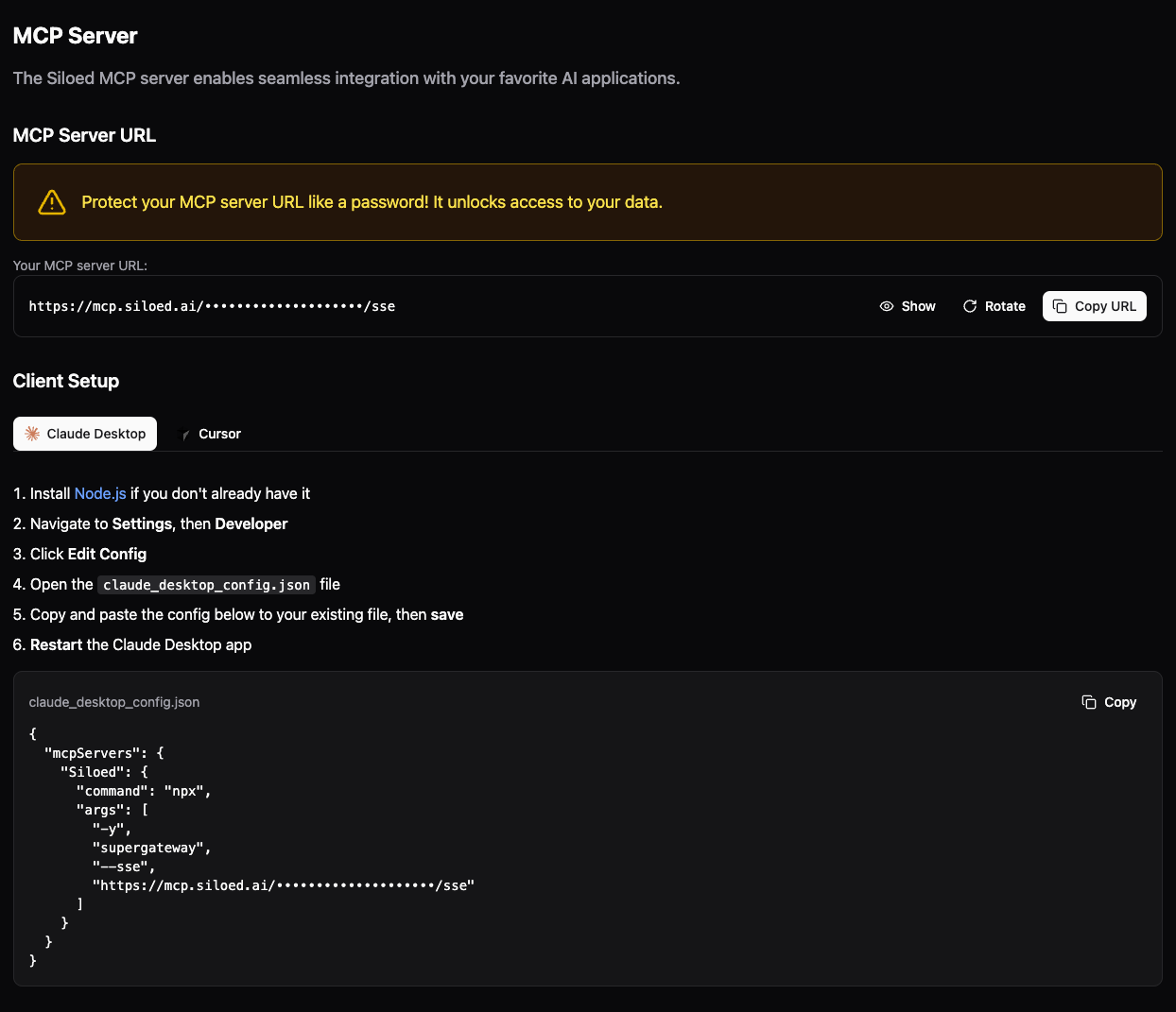 **For other MCP-compatible applications** follow their specific instructions for adding an MCP configuration using your [unique server URL](https://siloed.ai/mcp-server).
Your MCP server URL should be treated like a password! It is used to access your data.
**For other MCP-compatible applications** follow their specific instructions for adding an MCP configuration using your [unique server URL](https://siloed.ai/mcp-server).
Your MCP server URL should be treated like a password! It is used to access your data.